The short answer
A quick reference guide is a single page for someone who already knows the job. Each line names a task, says where it lives and what to click, and adds the one warning that matters. The reader looks something up in ten seconds and goes back to work.
The pages that rank for the term agree on short, and differ on how short. A guest post on the MadCap Software blog, by Logan Mazza, a senior technical writer at Veeva Systems, describes quick reference guides as "short, easy to read documents that distill complex instructions into simple, fundamental steps". TechSmith calls one "a condensed set of instructions on how to use a product", "no longer than two pages". Whatfix defines one as "a short technical document (usually less than 5 pages)". This guide takes the strict reading: one side of A4 or Letter. A second page is a second document.
Other names for it: quick reference card (QRC), cheat sheet, quick start sheet, one-pager.
Software vendors publish the same format for their customers: one page with a product's most used functions. The rules below hold for both.
A real quick reference guide
The page below is the QRG for the finance desk at Northwind, a made-up online shop. Its staff use three web tools: Paynest for card payments, Ledgerly for invoices and Cartwell for orders. The page holds seven tasks they do every month and forget between times. Every screenshot is cropped from a real recording of the task in those tools, the same recordings behind the finished procedures in SOP examples.
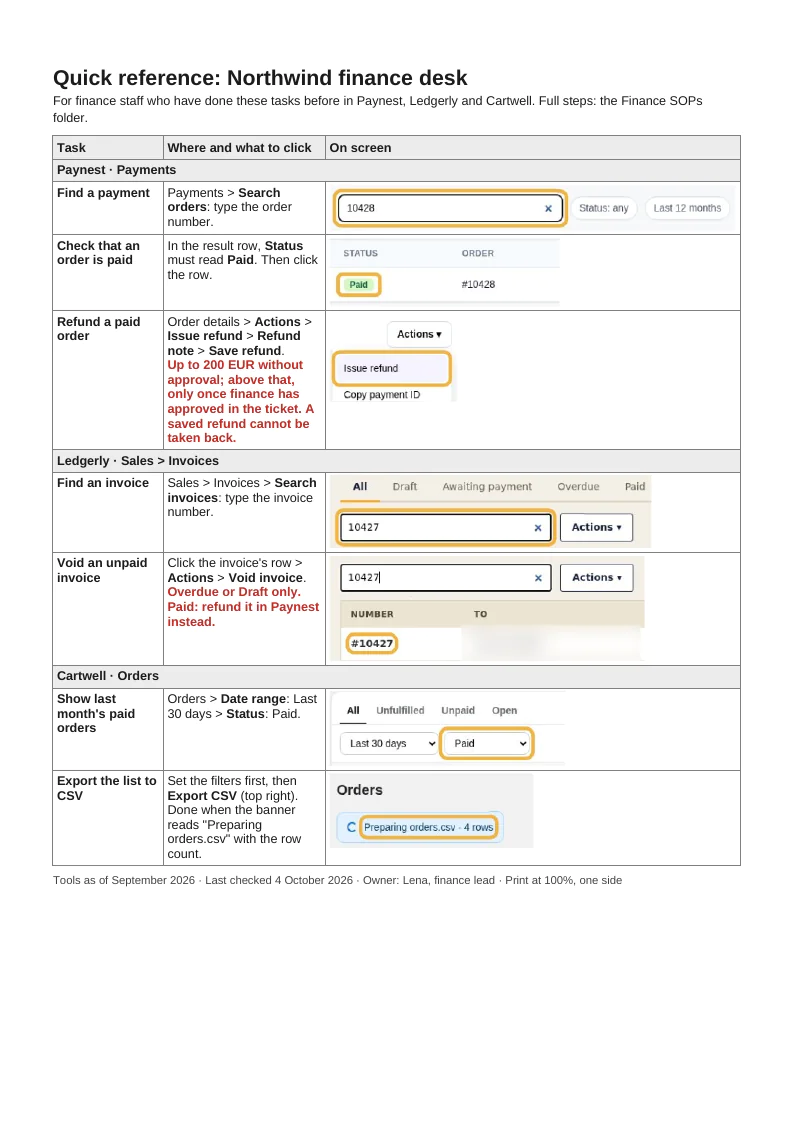
Each row has the same four parts:
- Task, verb first: "Refund a paid order", not "Refunds".
- Path in words, with the exact labels in bold: Order details > Actions > Issue refund > Refund note > Save refund.
- One limit, only where a mistake costs money or data: "Up to 200 EUR without approval; above that, only once finance has approved in the ticket. A saved refund cannot be taken back."
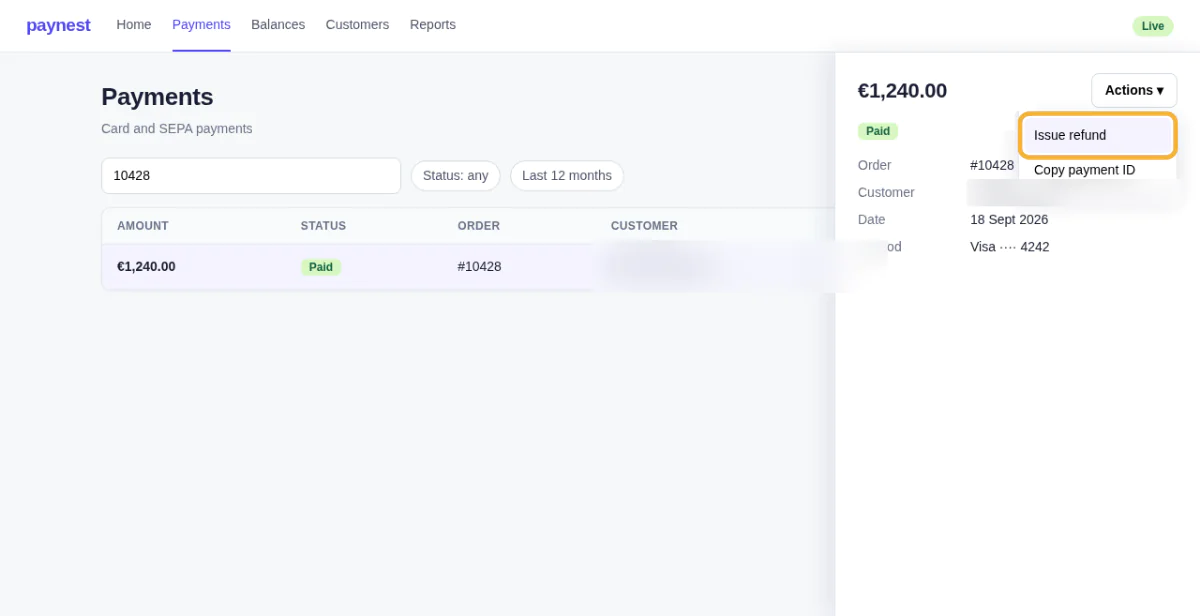
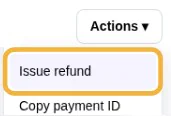
- One cropped screenshot of the control, with its marker.
What made it fit on one page
| Change | What | Why |
|---|---|---|
| Cut | Purpose, scope, owner per task, prerequisites, reasons, every step that is obvious once the screen is open | They are read once, in training or an audit. They stay in the full procedure. |
| Kept | The click path, the one field that matters, the one limit that costs money | That is what a trained person forgets between two month-ends. |
| Cropped | Each screenshot down to the control plus one neighbouring element | A full screen at a third of the page width is unreadable; a crop stays legible at print size. |
Layout rules that keep it to one page
These are the rules the example follows. They are working rules from building pages like it, not research findings; change the numbers if a printout says otherwise.
- 6 to 12 tasks. More means two QRGs, split by role or by tool, not a smaller font.
- Group rows by tool and screen, in the order the menu shows them, so the reader scans one block, not the whole page.
- Crop every screenshot to the control plus one neighbour. One marker per crop. No full screens.
- Write the path in words beside every crop, so the page still works printed in black and white or when the screen changes colour.
- Body text no smaller than 9 pt. Print it once at 100% and read it at arm's length.
- Footer: tool version, date checked, owner, and where the full procedures live.
Cropping, marking and blurring are covered in detail in Screenshots for guides.
How to make a quick reference guide
- List the tasks. Take what the role does weekly or monthly and what people ask about. Keep the ones that are frequent enough to matter and costly enough to get wrong.
- Run each task once and capture the clicks. The screenshots come from that run, not from memory.
- Crop and mark each screenshot to the control, and blur customer names, emails and amounts that are not needed.
- Write each row: verb-first task name, the path with exact labels, one limit.
- Lay it out in the template, print it and hand it to someone who knows the job but has not seen the page. Every question they ask is a row to fix.
- Date it and review it whenever one of the tools changes its screens.
A QRG assumes the tasks are already written down and trained. If they are not, write the full procedure first; How to write an SOP walks through one.
Quick reference guide template
The template is one A4 page: a title line with the tool and the role, a line for who it is for and where the full procedures live, a task grid of three groups with three rows each (task, path and note, screenshot slot), and a footer for tool version, date checked and owner. The filled example is the Northwind page above.
| Download | Blank template | Filled in (Northwind) |
|---|---|---|
| Word, .docx | Blank (6 KB) | Filled (41 KB) |
| Word, .docx, US Letter | Blank (6 KB) | Filled (41 KB) |
| OpenDocument, .odt | Blank (19 KB) | Filled (69 KB) |
| PDF, 1 page | Blank (33 KB) | Filled (72 KB) |
| PDF, 1 page, US Letter | Blank (33 KB) | Filled (72 KB) |
| Markdown, .md | Blank (2 KB) | Filled (1 KB) |
Replace every text in [brackets] and delete the rows you do not need. Rename the group rows after the tools and screens the role uses. The Markdown files carry the text only; the screenshots of the filled example are in the Word, OpenDocument and PDF versions.
In Word, paste a crop into its cell, then set its width under Picture Format > Size, so a large screenshot cannot widen the column and push the page onto a second sheet. Give every crop the same scale, so labels print at the same size across rows.
Quick reference guide vs user manual vs job aid
| Aspect | Quick reference guide | Job aid | User manual |
|---|---|---|---|
| Reader | Someone trained in the role | Someone who has done the task | Anyone, including a first-timer |
| Scope | Many tasks, in breadth | One task, in depth | Everything about the product |
| Length | One page | One page | Many pages |
| Used when | Looking up the detail you forgot | During that one task | Learning, or solving an unusual case |
| Updated when | Any of the tools changes a screen | The procedure behind it changes | The product has a release |
The difference from a job aid is breadth against depth: a job aid walks one task step by step, a QRG holds one line per task. What a job aid is and when one is enough is in Job aid. A user manual is the opposite end: it is read to learn the product and covers features nobody in the role uses.
Which to write first: the procedure. A QRG needs the tasks to be known and agreed; without that, it only spreads one person's habits. Where a QRG sits among the other process documents is laid out in Process vs procedure.
Sources
All pages checked on .
- MadCap Software: How to Create a Quick Reference Guide. A guest post by Logan Mazza (Veeva Systems): quick reference guides "distill complex instructions into simple, fundamental steps".
- TechSmith: How to Create a Quick Reference Guide. "A condensed set of instructions on how to use a product", no longer than two pages. Its visual-learning percentages name no source and are not used here.
- Whatfix: Quick Reference Guide. "A short technical document (usually less than 5 pages)".
- Scribe: What Is a Quick Reference Guide. "A simple, concise document summarizing something readers need to know"; the page shows a template and a short outline rather than a complete finished guide.