The short answer
- Pick one task and write one sentence on when to use the SOP, and when not.
- Do the task and record every click as you go.
- Add the frame: title, purpose, owner, date and what the reader needs before step 1.
- Rewrite each step as an action on a named field or button, plus the result to expect.
- Have someone who has never done the task follow it without help, and fix where they stop.
- Publish it with an owner and a review date, and delete the old copies.
Write it while doing the task, not from memory. For what an SOP is and the eight parts it can have, see What is an SOP; this page is the worked example.
The task used in this guide
A sales rep at Northwind (a made-up company) is leaving. Their open deals in Northwind CRM, a demo app, must go to a colleague. The task is done rarely, so nobody remembers how, and that is when an SOP pays. Strictly, a one-person, click-by-click document like this is a work instruction; most teams call it an SOP anyway.
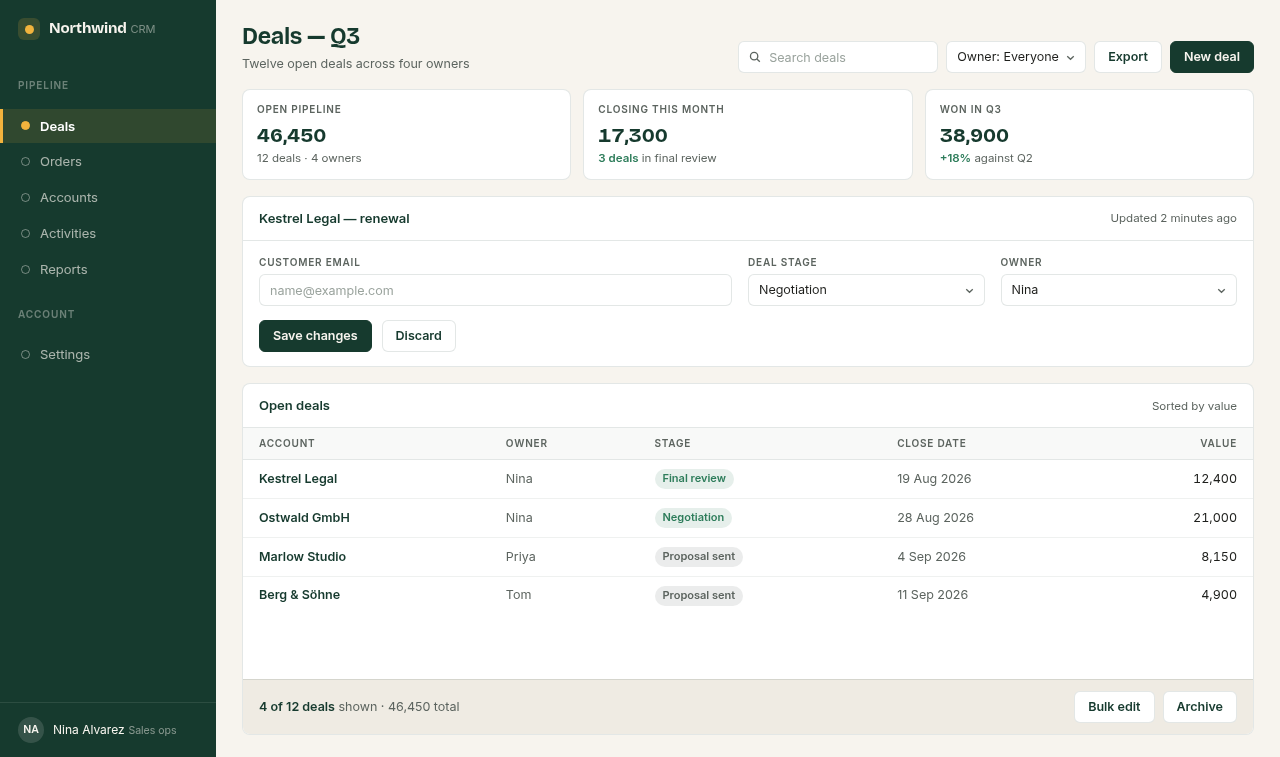
The scope sentence came first, before any step:
Use this when a rep leaves or changes team. Not for reassigning a single deal on request.
One sentence, no "and" joining two jobs. If the scope needs an "and", it is two SOPs.
Step 1: Observe the task before writing
Watch the person who does the task, or do it yourself. The Penn State Extension writing guide puts it plainly: "observe someone performing the process as it now exists and write down everything that they do."
Note what a click never shows. For this task, three things:
- Why Priya gets the deals: the team lead chose her before the task started.
- The check done in the head: is the filter still on the right rep?
- Where the task really ends: when no open deal shows Nina as owner.
From memory or while doing it? While doing it. Memory skips the steps that have become automatic (more on capture).
Step 2: Record it as you go
The task was done once with a click recorder on. It wrote one caption per click, from the label it found. These are its five captions, word for word:
- Select Owner
- Click 17,300
- Select Owner
- Click Save changes
- Click Kestrel Legal
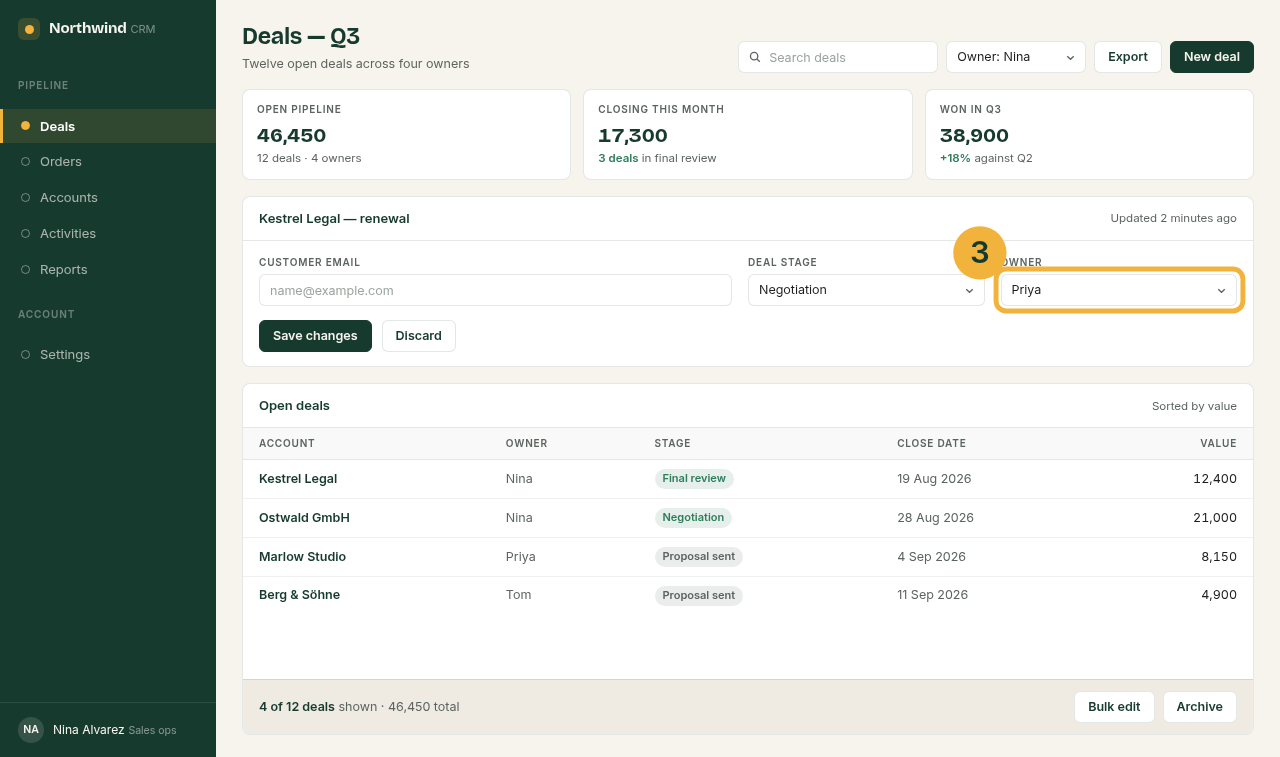
A recording gives the exact labels, the order and a screenshot per click. It gives no reasons, no checks and no end state. Caption 2 is a stray click on a summary card; captions 1 and 3 read the same but are two different fields.
Without a recorder: take a screenshot each time the screen changes (Win+Shift+S on Windows, Cmd+Shift+4 on a Mac) and write down the exact label you clicked.
Step 3: Add the frame around the steps
The frame tells a reader whether this is their SOP and what they need before step 1. For this task it is six lines (the blank SOP to copy has all of them with prompts):
- Title
- Reassign a departing rep's open deals
- Purpose
- Give every open deal of a rep who leaves a new owner, so no customer waits on an empty inbox.
- Scope
- Use this when a rep leaves or changes team. Not for reassigning a single deal on request.
- SOP owner
- Tom, sales team lead
- Version and date
- Version 1, 29 September 2026
- Prerequisites
- Sales ops role in Northwind CRM; the new owner's name, agreed with the team lead.
Step 4: Rewrite every step as action and result
Each raw caption became a step with where to act, what to pick and what to see afterwards. The wording rules behind each change are in How to write step-by-step instructions; here they are applied.
| # | Recorder wrote | Rewritten | What changed |
|---|---|---|---|
| 1 | Select Owner | In the Owner list at the top of the page, select the departing rep, for example Owner: Nina. | Added where, and what to pick |
| 2 | Click 17,300 | (deleted) | A stray click on a summary card |
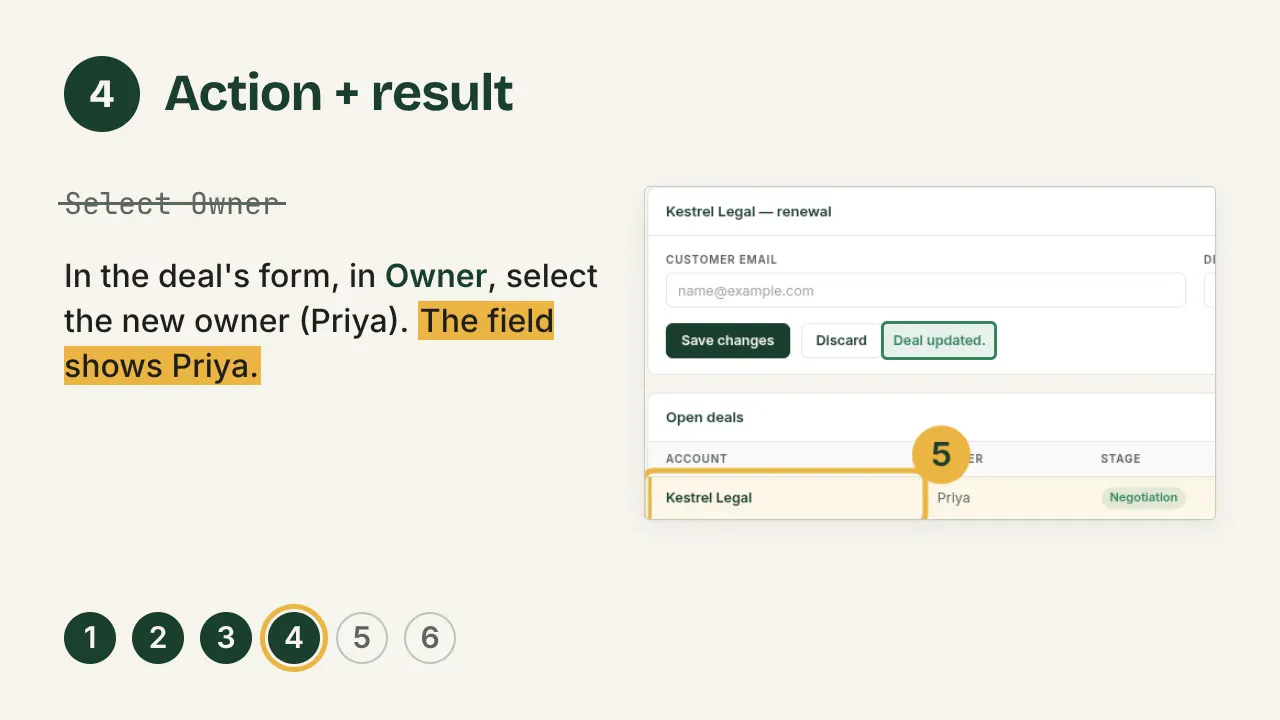
| 3 | Select Owner | In the deal's form, in Owner, select the new owner (Priya). The field shows Priya. | Said which of two Owner fields, added the value and the result |
| 4 | Click Save changes | Check that Deal stage still shows the deal's current stage, then click Save changes. "Deal updated." appears beside the button. | Added a check first, and the result |
| 5 | Click Kestrel Legal | In Open deals, check the deal's row: the owner is Priya and the stage has not changed. | A click turned into a check |
The check in row 4 came from the recording's own screenshots. In the recorded run, the form's Deal stage read Negotiation while the deal's row read Final review, and saving wrote Negotiation over it. Nobody noticed while doing the task; the screenshot of the saved row shows it.
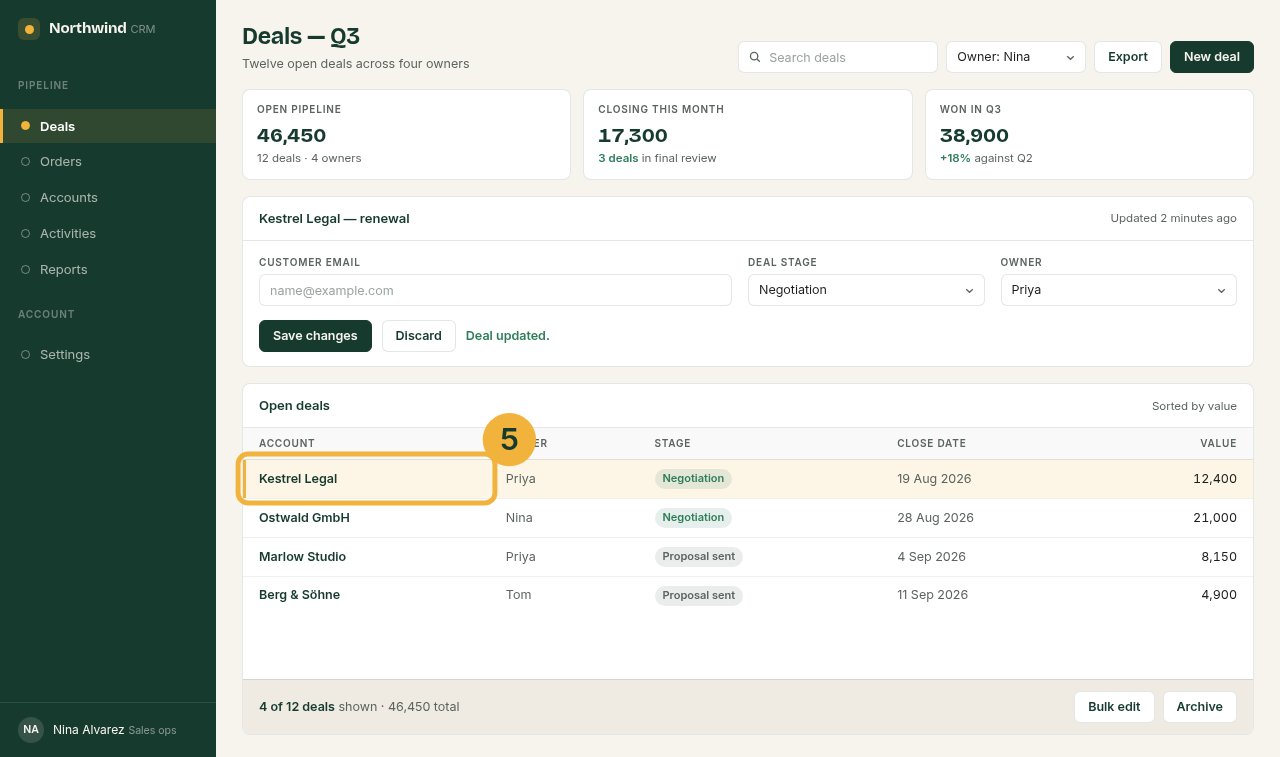
Three steps were added that no click produced: the decision "If no open deal shows the rep as owner, stop here", opening each deal, and the end ("When no row shows Nina, tell the team lead"). The loop over several deals is one line: "Repeat steps 3 to 6 for each deal that still shows Nina." The result is the finished SOP in step 6.
Step 5: Test it with a colleague
Give the SOP to someone who has never done the task. They follow it alone; you watch and do not help. Penn State's guide: "Any steps that cause confusion or hesitation for the test worker should be revised."
Keep a log while you watch, one row per stop, and fix each row in the next version:
| Step | Where they stopped or asked | Fix in the next version |
|---|---|---|
| [Step number] | [Their words, as they said them] | [The new wording, or the step added or cut] |
Time the run too. If the second version is not faster than the first, the fixes added words, not clarity. The questions to expect on a task like this are about scope ("Which deals count as open?") and about order ("Do I save after each deal or once?"). Each belongs in a step, not in an answer given aloud.
Step 6: Publish it, and set the next review
Put the SOP where the team looks for it: a PDF in the shared drive, a wiki page, the ticket template. Keep the owner and the date on the page itself, and delete or mark every older copy. Review it whenever the screens change and at least once a year; TechTarget suggests "every six to 12 months".
The finished steps, under the frame from step 3:
- Steps
-
- In the Owner list at the top of the page, select the departing rep, for example Owner: Nina.
- If no deal in Open deals shows that rep as owner, stop here: there is nothing to reassign.
- Open the rep's first deal. Its form shows the account name at the top.
- In the deal's form, in Owner, select the new owner (Priya). The field shows Priya.
- Check that Deal stage still shows the deal's current stage, then click Save changes. "Deal updated." appears beside the button.
- In Open deals, check the deal's row: the owner is Priya and the stage has not changed. Repeat steps 3 to 6 for each deal that still shows Nina.
- When no row shows Nina, tell the team lead the deals are reassigned.
- Expected result
- Every open deal that belonged to the departing rep shows the new owner, with its stage unchanged.
- If it fails
- A stage changed on save: set it back to what the row showed and save again. Then tell the SOP owner.
How long should an SOP be
As long as the task, no longer. This one is seven steps under a six-line header. For a single browser task, that is typical.
Penn State's guide sets the line at ten: a procedure of "more than ten steps, with few decisions" goes into main steps with sub-steps or a graphic format, and one with many decisions into a flowchart (formats compared). Signs an SOP is too long:
- It needs two scope sentences.
- It has steps nobody does any more.
- It explains why the software works as it does, instead of what to click.
What every SOP should include
At minimum: a title, a date, the steps and the result. The eight parts of a full SOP add purpose, scope, owner and prerequisites.
What this example shows is most often missing: the expected result after a step that changes data, and a line on what to do if it fails. Both came from looking at the screenshots, not from the clicks.
Sources
All pages checked on .
- Penn State Extension: Standard Operating Procedures, a writing guide. Observe the task as it is done now; test with a person not familiar with the work; more than ten steps with few decisions calls for sub-steps or a graphic, many decisions for a flowchart.
- TechTarget: What is a standard operating procedure (SOP)?. Review every six to 12 months.