The short answer
- What goes in it: a trigger (when to start), prerequisites, numbered actions, the expected result, what to do if the screen differs, an owner and a revision line.
- Who writes it: the person who does the task drafts it; a named owner role approves it and keeps it current.
- For a task in a browser: one screenshot per step that changes the screen, with the click marked.
How it differs from an SOP is shown on one task in SOP vs work instruction; this page does not repeat it.
One work instruction, every part labelled
The task: Northwind (a made-up company) voids an unpaid invoice in Ledgerly, a demo accounting app, after a customer cancels before paying. Below is the whole work instruction. The left column names each part; the right column is what the finished instruction says.
- ID and title
- WI-12 Void an unpaid invoice in Ledgerly
- Trigger
- A ticket says the customer cancelled and has not paid.
- Scope
- Invoices with the status Draft, Awaiting payment or Overdue.
- Not for
- Paid invoices. They get a refund (WI-13 Refund a paid invoice).
- Prerequisites
- The Finance role in Ledgerly, the invoice number, the ticket open.
- Actions
-
-
In Search invoices, type the invoice number from the ticket (here 10427). Only that invoice stays in the list.
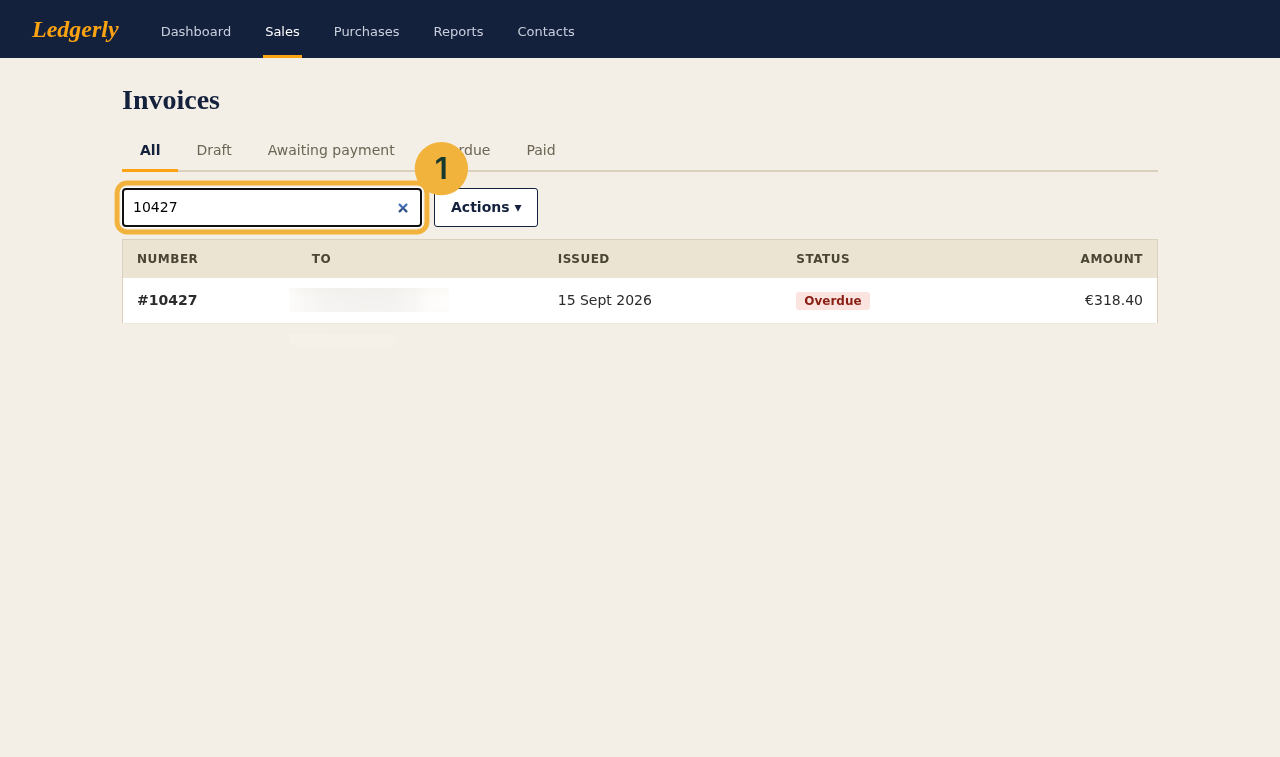
Step 1: one row left. Customer names are blurred in every screenshot. - Click the row #10427. The row is highlighted.
- Click Actions. A menu opens.
-
Choose Void invoice.
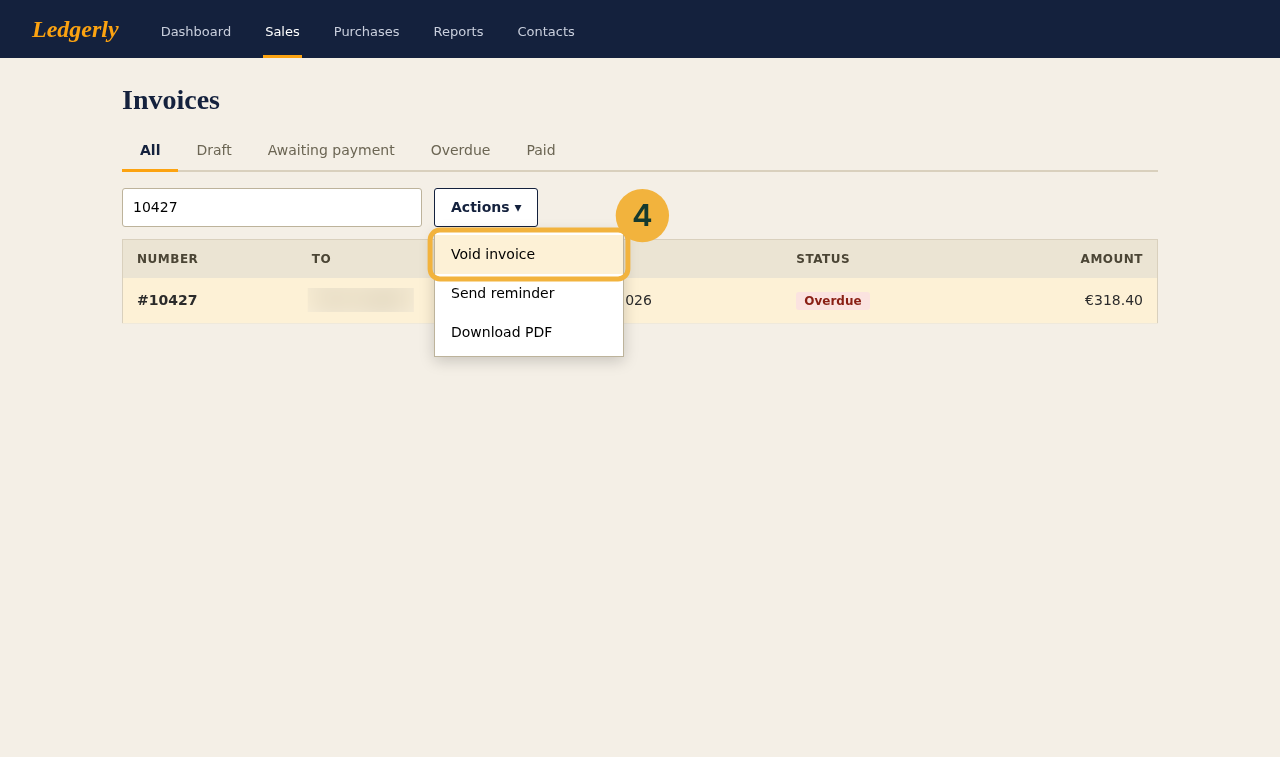
Step 4: Void invoice is the first item in the menu. -
Check that the notice Invoice #10427 voided appears above the tabs and that the status reads Void, struck through.
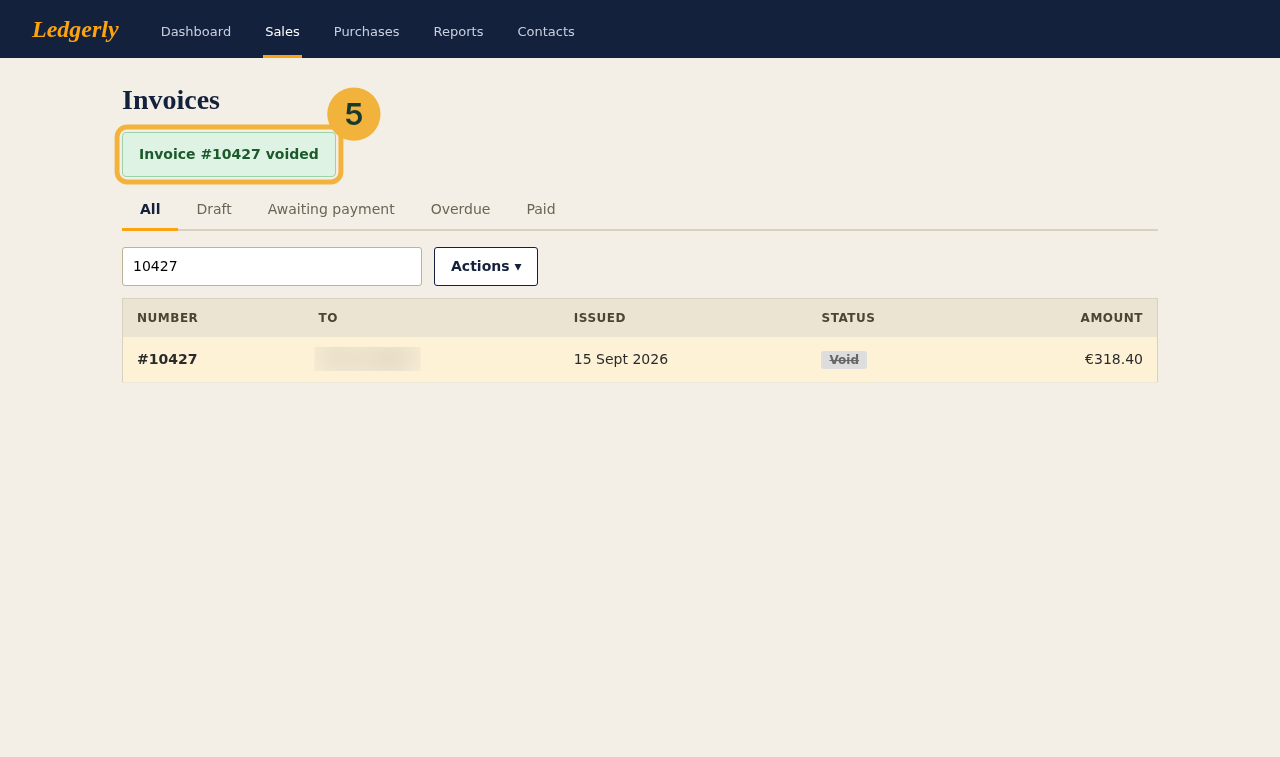
Step 5: the notice and the struck-through status.
-
In Search invoices, type the invoice number from the ticket (here 10427). Only that invoice stays in the list.
- Expected result
- The invoice reads Void. Reply in the ticket with the invoice number and close it.
- If this happens
-
The red notice is Paid and cannot be voided: issue a refund instead means the customer has
paid. Stop, change nothing, and follow WI-13 instead.
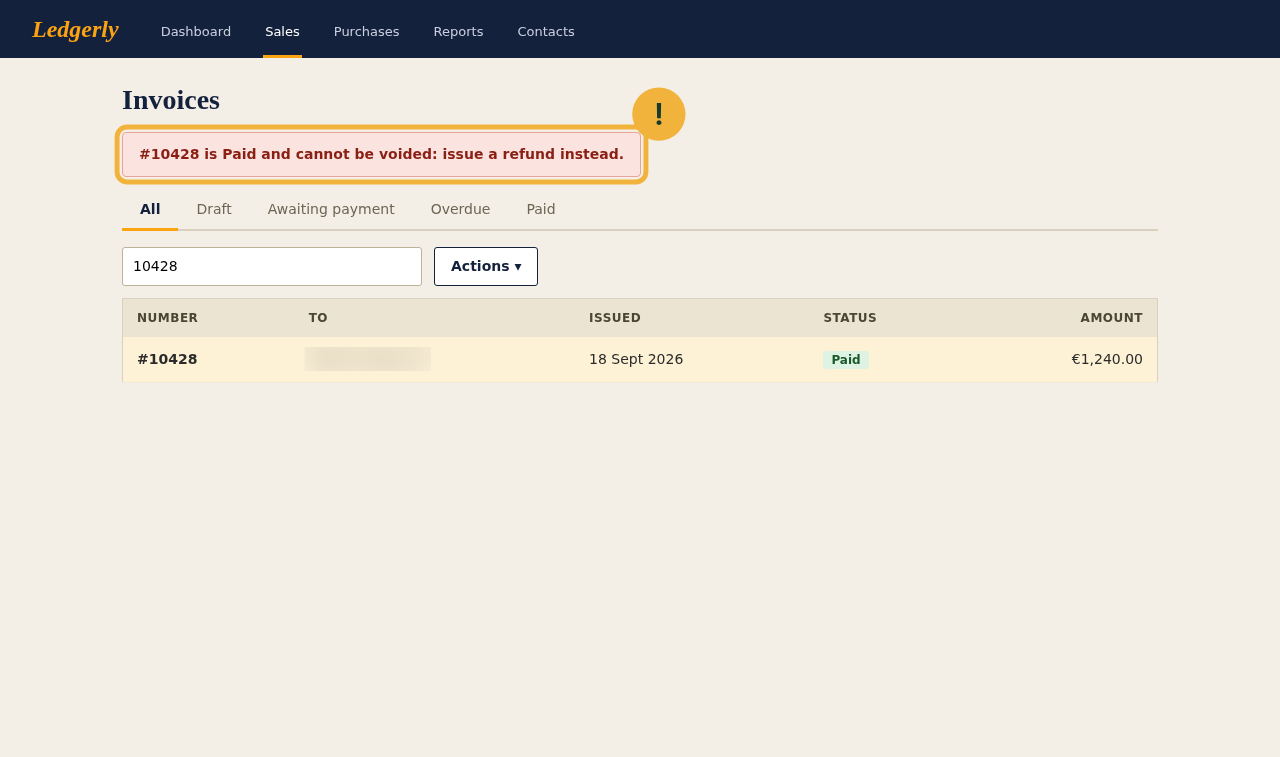
The stop condition, as the app shows it for a paid invoice. - Owner
- Billing lead
- Revision
- Rev. 1 · 4 October 2026 · first version
- Parent SOP
- Billing corrections, step 3
The example, filled in, as a file to keep or adapt: Word, .docx (206 KB), PDF (108 KB, 2 pages) or Markdown, .md (1 KB).
The form is the same away from a screen. Northwind's warehouse, WI-31 Change the blade on the carton cutter, owner the shift lead:
- Switch the cutter off at the main switch and hang your own padlock on it.
- Press Start once. The cutter must not move; if it moves, stop and call the shift lead.
- Change the blade with the blade tool, never with bare hands.
- Remove your padlock, switch on and cut one test carton. Expected result: a clean edge.
A work instruction for a machine is not its safety instruction. In Germany the employer must give workers who handle hazardous substances a written safety instruction, the Betriebsanweisung, in a form and language they understand (§ 14 GefStoffV); that is a separate document the law requires. A work instruction rests on the employer's right to direct the content, place and time of the work (§ 106 GewO).
What each part is for
| Part | Question it answers | Mistake it prevents |
|---|---|---|
| ID and title | Which instruction is this? | Two people following two versions of "the invoice doc" |
| Trigger | When do I start? | Work done on hearsay, without a ticket behind it |
| Scope and not for | Does this apply to my case? | Following the right steps on the wrong case, such as a paid invoice |
| Prerequisites | What do I need first? | Stopping at step 3 because the access is missing |
| Actions | What do I click, in which order? | Guessing which of two similar buttons is meant |
| Expected result | How do I know it worked? | Closing the ticket while the invoice is still open |
| If this happens | What if the screen differs? | Working around an error instead of stopping |
| Owner | Who fixes this page? | An outdated instruction nobody feels responsible for |
| Revision | Is this the current one? | Following a printout from before the last screen change |
| Parent SOP | Where does this task sit in the process? | Doing the task without the approval the SOP requires |
A three-step task needs fewer parts. Trigger, actions, expected result and owner stay; scope can go when there is no case it excludes, and the parent SOP only appears when there is an SOP.
How to write a work instruction
Recording the task, taking the screenshots and wording each step work as for any procedure: How to write an SOP covers the recording and How to write step-by-step instructions the wording. A work instruction adds three things:
- The frame, by hand. Trigger, scope, prerequisites and expected result. No recording contains them.
- The stop branch. The one case where the task must not go ahead, here a paid invoice: what the screen shows, and which instruction to follow instead.
- A role as owner. The billing lead, not a person's name, so the page survives a job change; plus the revision line.
Test it on a new hire
The test itself, someone new following the page alone, is described in How to write an SOP. For a work instruction, run it twice: once on a case inside the scope, where it passes when they reach the expected result, and once on a case it excludes, such as a paid invoice, where it passes when they stop.
Work instruction or procedure
A work instruction is the click-level part of a procedure for one role; how procedure and process differ is in SOP vs work instruction.
Who writes and owns work instructions
The person who does the task drafts it, because they know the clicks. A named owner role, such as the billing lead, approves it and keeps it current. The new hire's test is the review.
Review when the screens change, not on a calendar alone. The revision line records what changed: "Rev. 2 · 12 January 2027 · Void invoice moved into the More menu".
ISO 9001 does not require work instructions by name (SOPX on clauses 7.5.1 and 8.5.1); what it does ask for is in SOP vs work instruction.
Sources
All pages checked on .
- Gefahrstoffverordnung (GefStoffV), § 14. The written Betriebsanweisung for hazardous substances.
- Gewerbeordnung (GewO), § 106. The employer's right to direct the content, place and time of the work.
- SOPX: ISO 9001 SOPs and work instructions, what is required. Work instructions are not required by name; clauses 7.5.1 and 8.5.1.