The short answer
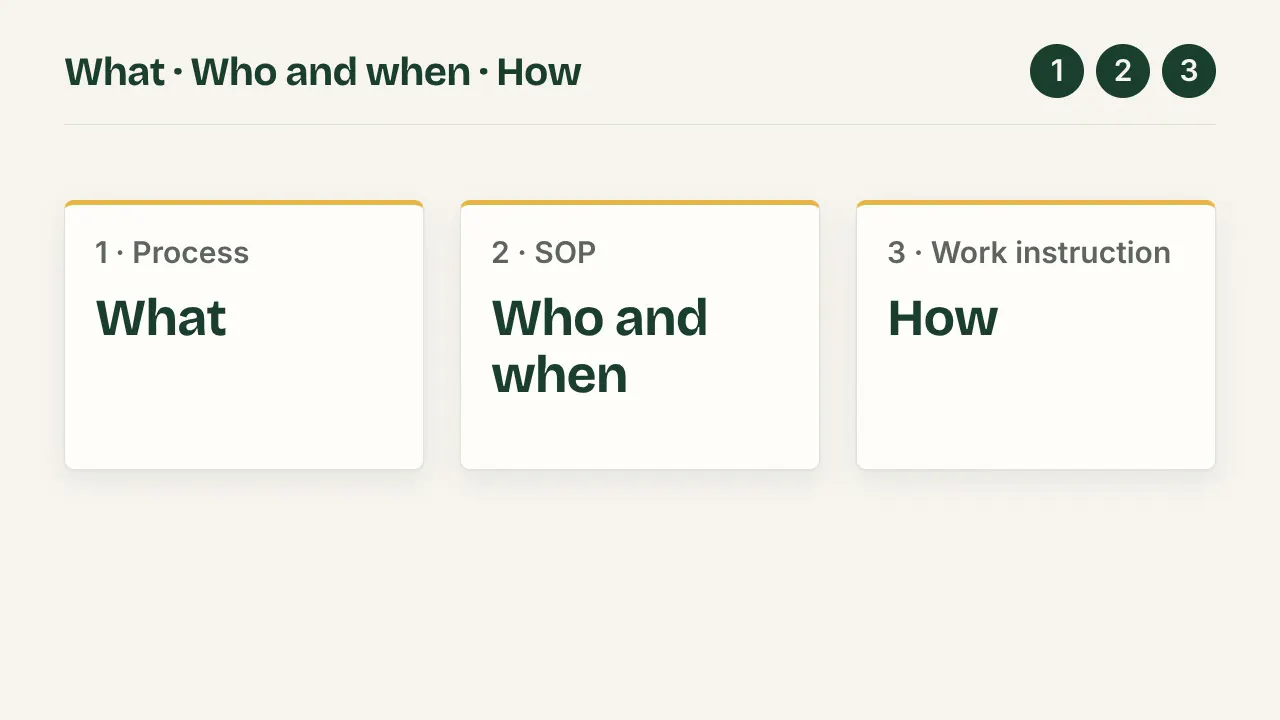
- An SOP (a procedure) says what is done, by whom and when. A work instruction says how one person does one task, at the level of each click.
- The SOP points to the work instruction, never the other way round. One SOP can point to several work instructions.
- Screenshots belong in the work instruction only.
| Level | Question it answers | Reader | What changes it | Screenshots |
|---|---|---|---|---|
| Process | What happens, and who hands off to whom? | Auditors, managers, anyone new | A step or a role is added or removed | No |
| SOP (procedure) | Who does what, when, under which rules? | Everyone in the process | A rule, an approver or the scope changes | No |
| Work instruction | How do I do this task, click by click? | The one person doing the task | The screens change | Yes, one per step |
For what an SOP is and the parts it can have, see What is an SOP. This page only separates the levels.
The task used on this page
Jonas has joined the content team at Northwind (a made-up company) and needs Editor access in Northwind admin, a demo app. Three people take part: the team lead who asks, the IT owner who approves and the admin who grants the role. That is enough people to make the process level real. The same task is written three times below.
Level 1: the process
- Request Team lead
- Approve IT owner
- Grant Admin
- Confirm Team lead
Four boxes, one role under each, nothing else. The map answers "what happens, and who hands off to whom". It names no button and no screen. ISO 9000:2015 (clause 3.4.1) defines a process as a "set of interrelated or interacting activities that use inputs to deliver an intended result" (SQT Training). Here the input is a request and the intended result is a colleague who can edit.
Who reads it: auditors, new managers, anyone asking "how does access work here".
Level 2: the SOP
ISO 9000:2015 (3.4.5) defines a procedure as a "specified way to carry out an activity or a process". An SOP is a procedure, written down. The same task as an SOP:
- Title
- Granting access to the admin panel
- Purpose
- Every person gets the role their work needs, approved before it is granted.
- Scope
- New staff and role changes. Not for contractors.
- Owner
- IT owner
- Version and date
- Version 1, 29 September 2026
- Rules
-
- Access needs written approval from the IT owner in the ticket.
- Editor is the highest role given without a second approval.
- The admin grants the role within 1 working day of approval.
- Steps
-
- Team lead requests the role by ticket.
- IT owner approves in the ticket.
- Admin grants the role, following WI-07 "Grant a role in Northwind admin".
- Team lead confirms the colleague can work, and closes the ticket.
Step 3 names the work instruction instead of repeating its clicks. The rules above are what only the SOP holds: no screenshot can show an approval rule or a deadline.
Level 3: the work instruction
WI-07, Grant a role in Northwind admin. One reader, the admin. Before step 1: an admin account, and the approved ticket open.
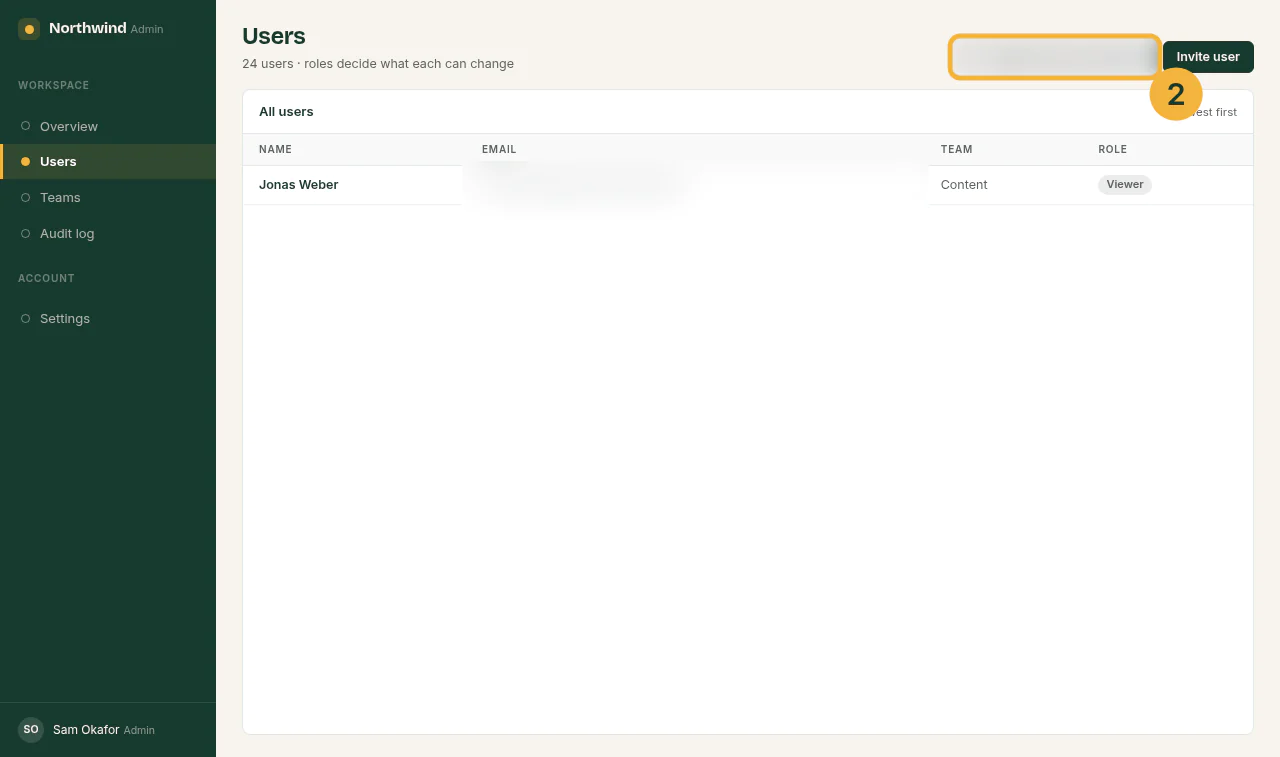
- In the menu on the left, click Users.
- In Search by email, type the colleague's email from the ticket. Only their row stays in the list.
- Click the colleague's name. Their details open above the list.
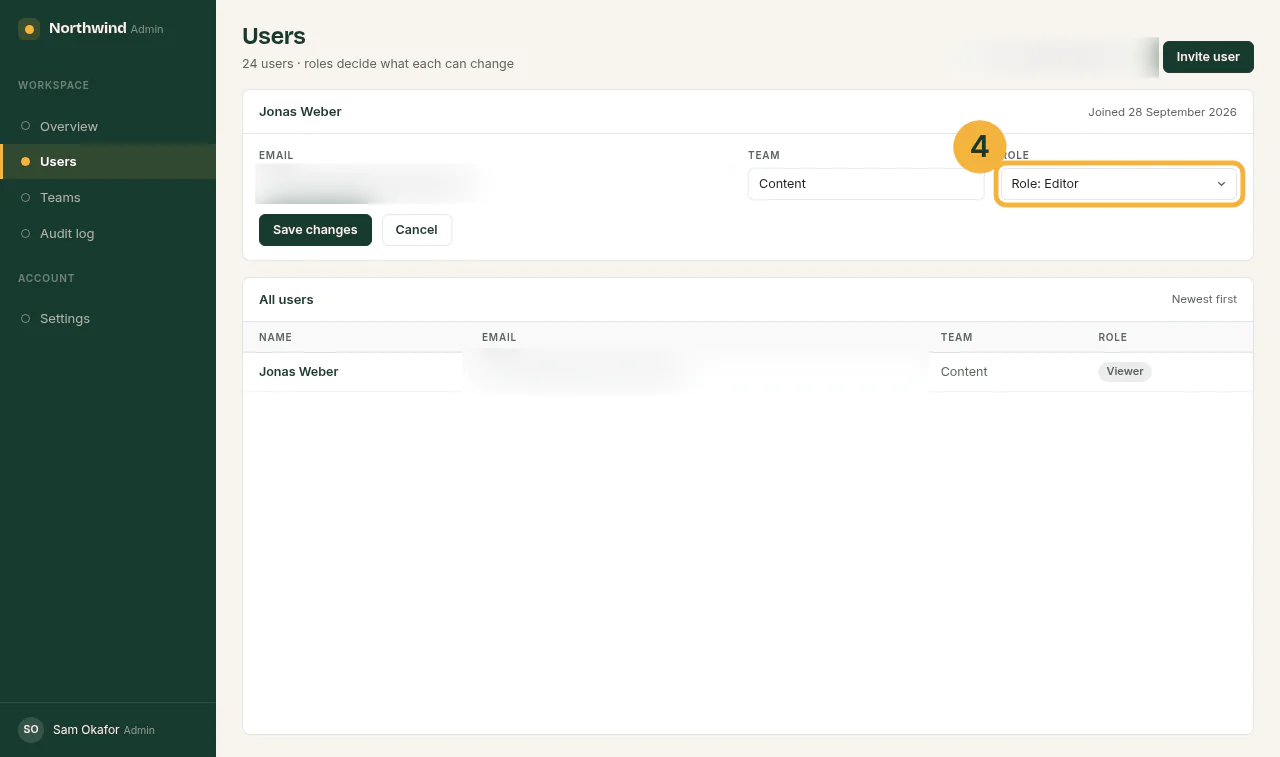
- In Role, choose Role: Editor.
- Click Save changes.
- Check that Role updated appears beside the button, and that the row in the list shows Editor.
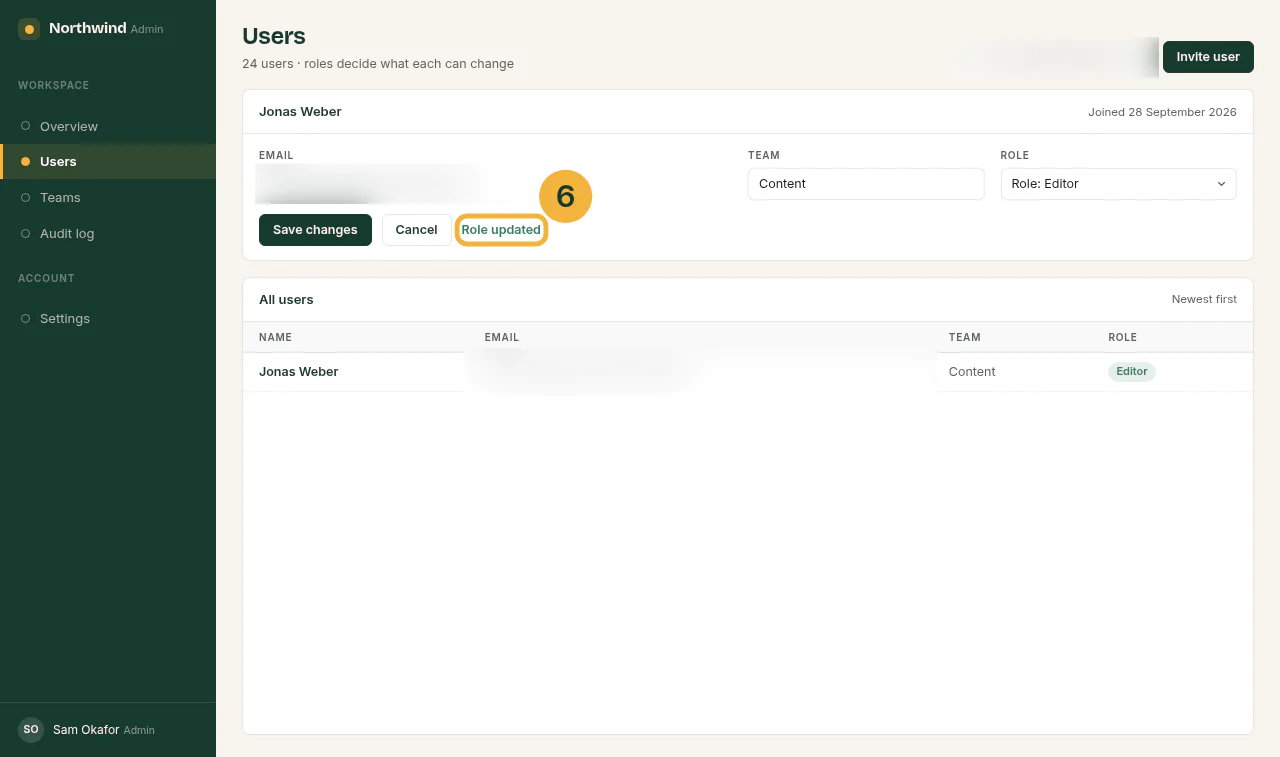
Expected result: the colleague's row shows Editor. If Role: Admin, or the whole select, is greyed out: stop and ask the IT owner; roles above Editor need a second approval (see the SOP, rule 2).
In small teams this is the document people usually call "the SOP". That is fine, as long as the approval rule is written down somewhere too. How to word steps like these is in How to write step-by-step instructions.
Where screenshots belong
Only at level 3. A screenshot in the SOP ties a rule that rarely changes to a screen that changes often. The process map and the SOP stay true when the admin panel is redesigned; the work instruction does not, and that is why it is the one you re-record.
The work instruction is also the only level made of clicks, so it is the one level a click recorder can produce: it captures each click with a screenshot and a numbered step, and you add the checks and blur the personal data. Attach the result to the SOP step that points to it. The SOP's rules and the process map are still yours to write; no recording contains them.
When something changes, which document do you update
| What changed | Update |
|---|---|
| The Save changes button is now called Apply | The work instruction only |
| Admin roles now also need the security lead's approval | The SOP, and the process map if a box is added |
| The team moved to a new admin panel | Rewrite the work instruction; in the SOP, change only the tool's name and the link |
| Contractors now get access too | The SOP's scope |
Keeping the levels apart is what keeps the upkeep small: a renamed button costs one screenshot, not a new SOP. For how often to review each, see Maintain in the SOP guide.
Is a procedure the same as a process
No. A process is what happens, from trigger to result; a procedure is how it is carried out, who does what, when and in which order. Process vs procedure shows both on one refund.
Above the procedure sits the policy, the rule it carries out; Policy vs procedure shows one refund rule at both levels.
Does ISO 9001 require work instructions
No. ISO 9001:2015 uses neither "SOP" nor "work instruction"; it speaks of documented information. As SOPX summarises the two clauses that matter:
- Clause 7.5.1: your quality system holds the documented information the standard requires, plus what you decide is necessary.
- Clause 8.5.1: the work runs under controlled conditions, which include documented information that defines the work and its results being available. In SOPX's words, "The instruction has to reach the person doing the job."
So you decide which tasks get a work instruction. A common test: would a new person get the task wrong without one?
Sources
All pages checked on .
- SQT Training: Applying the process approach to a quality management system. The ISO 9000:2015 definition of process (3.4.1).
- NIST glossary: procedure. The ISO 9000:2015 definition of procedure (3.4.5).
- Auditor Training Online: Management systems, what needs to be documented (part 1). Note 1 to the definition of procedure: procedures can be documented or not.
- ISOTracker: Document control in ISO 9001:2015, what the standard requires. The standard's term "documented information" for documents and records.
- SOPX: ISO 9001 SOPs and work instructions, what is required. SOPs and work instructions are not mandatory; clauses 7.5.1 and 8.5.1.